What Are the Best Tools and Apps for Creating Engaging Instagram Content?

“What are the best tools and apps for creating engaging Instagram content?” is the question that all Instagram users are concerned about.
In a world where everyone is vying for attention on Instagram, simply posting a photo isn’t enough anymore. So, what’s the secret sauce to genuinely standing out?
It’s about using the right mix of strategy, creativity, and, most importantly, tools. The right Instagram content creation apps can take your Instagram game to the next level. Curious about which tools can help you level up your content?
(30) Top & Best Instagram Content Tools for Boosting Engagement and Reach
To create engaging Instagram content, you need the tools to enhance visuals, streamline your process, and boost interaction. Here, we’ll showcase the best apps to elevate your Instagram game and increase engagement.
Photo Editing Toolsext Here
These Instagram editing apps will help you take your photos to the next level, whether you need simple filters or professional-level adjustments.
- VSCO: Known for its high-quality filters and advanced editing features, VSCO allows you to create a consistent aesthetic for your Instagram feed easily. It’s one of the best apps for creating Instagram posts to give your content a polished look.
- Snapseed: A comprehensive tool from Google offering a wide range of editing options, from basic adjustments to more complex features like selective edits and healing tools.
- Afterlight: A user-friendly app that provides a variety of filters, textures, and light leak effects, perfect for crafting visually striking images. It is ideal for anyone looking for Instagram content creator tools to enhance their visual content.
- Adobe Lightroom: A professional-grade editing tool that lets you fine-tune every detail of your photo, from colour grading to exposure adjustments. This app is especially effective when paired with Instagram photo editing presets.
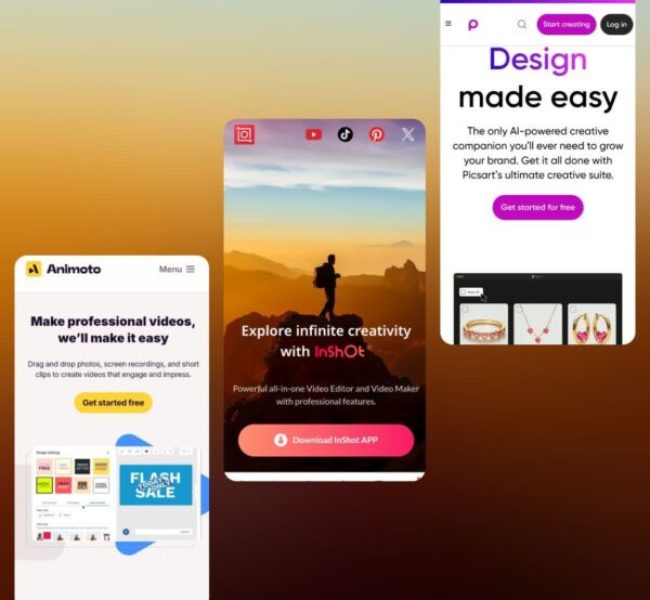
- Picsart: A versatile platform offering photo editing, collage-making, stickers, and creative effects. Use it to elevate your Instagram posts with graphic design apps for social media.
- Photoshop Express: The mobile version of Photoshop features tools like blemish removal, filters, and overlays, offering a streamlined experience for editing on the go.
Video Editing Tools
Create dynamic and engaging video content with these video editing apps for Reels and Instagram posts.
- InShot: A simple yet powerful app for editing videos with tools for trimming and adding transitions, music, and effects. Perfect for Instagram video posts and Stories.
- Clips (Apple): A fun and easy-to-use app for creating short, engaging videos with text overlays, effects, and live captions. Ideal for Instagram Stories.
- Adobe Premiere Rush: A mobile version of Premiere Pro offering advanced video editing tools such as multi-track editing, colour correction, and direct exporting to Instagram.
- Animoto: A template-based video creation tool that allows you to make professional-looking videos quickly by simply dragging and dropping your media. This is an easy tool for creating mobile apps with content.
- Boomerang (Instagram): This company specializes in creating looping videos that add a fun and engaging element to Instagram stories and posts.
- Hype-Type: Adds animated captions to your videos, making them more engaging and shareable with creative fonts and movement.
These materials are perfect for creating engaging videos. If you find a video on Instagram that inspires you, you can use an Instagram Reels downloader to save and study it.
Instagram Story Tools
Stories are crucial for Instagram engagement. These best apps for Instagram Stories will help you design eye-catching, branded Stories.
- StoryArt: Offers hundreds of stylish templates and design elements to make your Instagram Stories visually appealing and highly shareable.
- Canva: A user-friendly design tool that lets you create beautiful Instagram Stories with templates, fonts, and design elements. Canva for Instagram is especially perfect for those without design experience.
- Add Text [Write on Photos]: This specializes in adding creative text to images and is perfect for sharing quotes, tips, and other text-heavy content in your Stories.
- Creative Cloud Express: Adobe’s design tool that offers templates and customizable assets for creating professional-looking Stories with ease.
These tools are perfect for creating eye-catching stories. But if you find an Instagram story you love and want to get inspired, you can use an Instagram highlights downloader to save the archived stories.
Scheduling Tools
Consistency is key on Instagram. These Instagram scheduling tools help you plan and publish your content at optimal times, ensuring regular engagement.
- Hootsuite: A comprehensive social media management platform for content scheduling, team collaboration, and detailed performance analytics. It’s a great content planner for social media.
- Buffer: A simple tool for planning, scheduling, and analyzing your Instagram posts, Stories, and Reels. It helps track engagement and audience growth.
- Crowdfire: A content scheduling and discovery tool that also offers performance analysis and follower management, giving you insights into what works on Instagram.
- Onlypult: A specialized scheduling tool that automates the process of posting content on Instagram at the best times for your audience.
- Feedlink: A tool that helps you create a customizable landing page with multiple links, perfect for directing followers to various destinations from your Instagram bio.
AI-Powered Tools
AI tools can help you create and optimize content more efficiently. These AI tools for Instagram content assist with scheduling and analytics.
- Narrato AI Content Genie: Generates fresh social media posts, captions, hashtags, and images based on themes, making content creation faster and more efficient.
- HubSpot AI Social Caption Generator: Uses artificial intelligence to create captivating captions aligned with your brand’s tone and style.
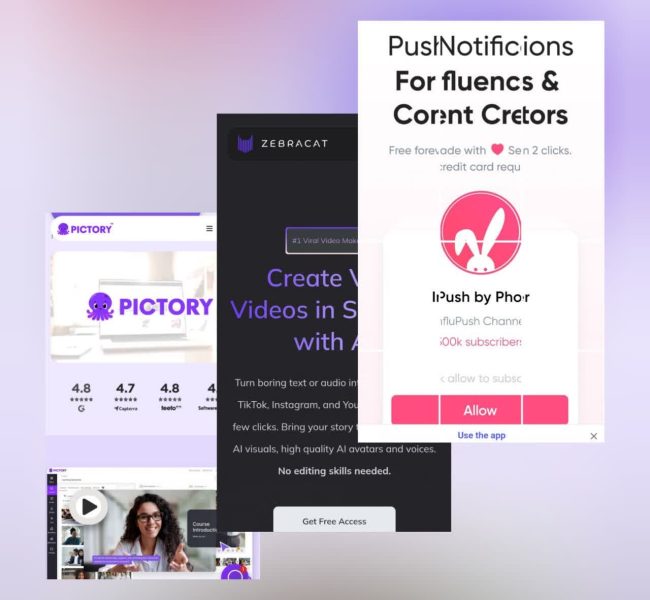
- Pictory: Converts written content, like blog posts or articles, into engaging video summaries, perfect for Instagram Reels or Stories.
- Kapwing AI Meme Generator: Utilizes AI to generate trending, relatable memes based on popular internet culture, perfect for viral Instagram content.
- Zebracat: Transforms written text into engaging video content with AI-generated voiceovers, music, and effects, perfect for creating high-quality Instagram videos.
Other Useful Tools
These additional tools can complement your Instagram content strategy by offering analytics, design support, and enhanced visibility.
- CutStory for Instagram Stories: Trims long videos into 15-second segments for easy upload to Instagram Stories.
- Gleam Competitions: Organizes and runs Instagram contests and giveaways, efficiently driving engagement and followers.
- Linktree: A landing page that hosts multiple clickable links, ideal for promoting multiple Instagram projects or offerings through a single bio link.
- InfluPush: A platform that enhances content visibility by sending notifications to your followers, boosting your engagement rate.
Final Thoughts
Creating engaging Instagram content doesn’t have to be complicated, especially when you’re equipped with the right tools. Whether you’re aiming to build a personal brand or scale your business, the tools for Instagram marketing outlined here will help you unlock your full creative potential.
Want to take your Instagram game to the next level? Start using these tools today, and let us know which one has made the biggest impact on your content.
Drop a comment about “What are the best tools and apps for creating engaging Instagram content?” below and share your favourite Instagram tools or tips for creating stunning content.
How do you get engaging content on Instagram?
Post visually appealing, authentic content that resonates with your audience.
What is the best AI to use to create Instagram posts?
Tools like Canva, Narrato AI Content Genie, and HubSpot AI Social Caption Generator are great.
What content is most engaging on Instagram?
High-quality images, videos, stories, reels, user-generated content, memes, and relatable posts.
Can ChatGPT create Instagram posts?
Yes, ChatGPT can help generate captions, post ideas, and engaging text content for Instagram.
How do you create engaging content on Instagram?
Focus on creativity, consistency, and community engagement. Use a mix of visuals, storytelling, humour, and timely trends.
Recent Posts