How Do You Save Someone's Picture on Instagram?

You’re casually scrolling through your Instagram feed when suddenly – a single photo grabs your attention! It’s so good, so meaningful, that you instinctively think, store someone’s picture from Instagram without losing quality or breaking any rules?

Save Someone's Picture on Instagram

Whether it’s a memory you want to hold onto or inspiration you need to revisit later, the urge to save it is real. But with no obvious download button in sight, most people are left guessing or taking pixelated screenshots. Don’t worry! In the “How Do You Save Someone’s Picture on Instagram?” guide, we’re diving into the safest, smartest, and most effective ways to save what matters.


Can I Download Photos from Instagram Legally?

The possibility of downloading photos from Instagram legally isn’t as straightforward as it seems. While Instagram is all about sharing, the content belongs to its creators, and that means copyright rules still apply. Downloading or reusing someone’s photo without permission can quickly turn into a legal grey area (or worse).

That’s why understanding Instagram photo privacy is so important before you take any action. There are legitimate, respectful ways to save content without crossing any lines. This section breaks it down for you, so you can enjoy your favorite posts the right way, with peace of mind.


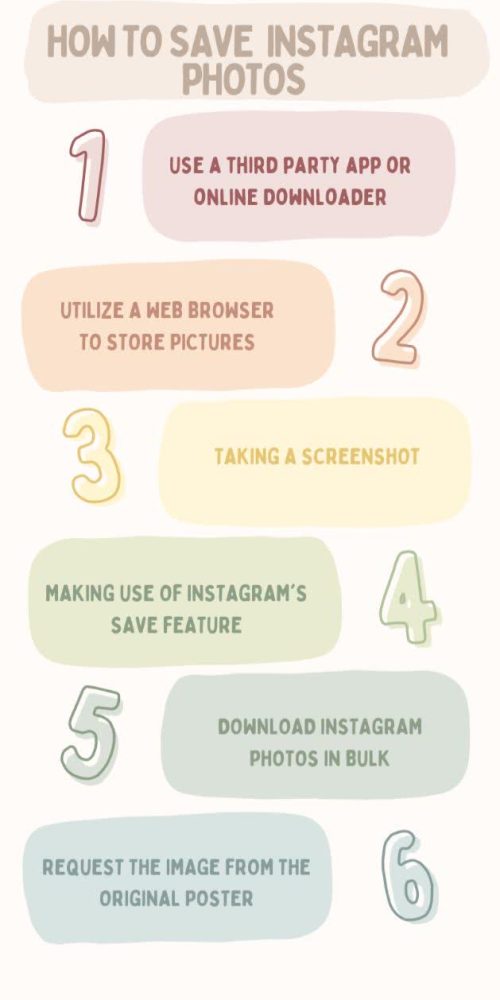
(6) Practical Ways to Save Someone's Picture on Instagram

Think taking a screenshot is your only option? Think again. There are smarter, cleaner, and more efficient Instagram photo saving methods that don’t sacrifice image quality or your online safety.

In this part, we’re sharing six practical and easy-to-follow methods. Whether you’re saving inspiration for your vision board or archiving memories from your feed, there’s a method here that fits your needs. Ready to learn how to save photos from Instagram the smarter way?


1. Use A Third-Party App or Online Downloader

Using an online tool or a third-party app is one of the simplest ways to obtain an Instagram photo. You don’t even need to install software for most Instagram image downloader tools, as they work across Android, iPhone, and desktop. Whether you want to save Instagram pictures without taking a screenshot, these tools offer a convenient method for downloading Instagram pictures. Here are the steps to use an app or online Instagram photo downloader:


  1. Locate the Instagram picture you wish to save.

  2. Press the post’s three-dot menu (•••).

  3. Choose ‘Copy Link’.

  4. Navigate to an Instagram photo downloader website such as Toolzu, iGram, DownloadGram using your web browser. (It works on any device.)

  5. Alternatively, install an Instagram photo saver app like InstaSaver, FastSave, or Downloader for Instagram (Android or iPhone).

  6. Enter the copied URL in the downloader’s input field.

  7. To save the image to your device, click ‘Download’.


Download Instagram images

2. Utilize a Web Browser to Store Pictures

Sometimes, using a desktop browser is the most efficient way to save someone’s picture on Instagram. This approach works well when you’re already browsing Instagram on your computer and spot something worth keeping.

Just keep in mind that depending on how the image is embedded, this may not work on all profiles, especially those with stricter Instagram photo privacy settings.


  1. Use your desktop browser to access Instagram.

  2. Locate the image that you wish to save.

  3. Choose ‘Save image as’ by right-clicking on the picture.

  4. After selecting a location on your computer, save the file.


3. Taking a Screenshot (Quick and Easy)

You can also rely on the classic approach of screenshots. This is a go-to trick if you’re in a hurry. It works across all major devices and is often used to save someone’s Instagram photo discreetly. This may not offer the highest resolution, but it remains a common way to save Instagram images for offline use when no other option is available. Follow these Instagram screenshot tips:


  • On iPhone: For Face ID models, press the Side Button + Volume Up; for older models, press the Home Button + Power. After cropping the image, save the screenshot.


  • On Android: Press the Volume Down and Power Buttons at the same time. Crop the screenshot, save it, and open it in your gallery.


  • On a PC Windows: To capture a screenshot, use Snip and Sketch or hit Windows + Shift + S.


  • On Mac: After choosing the region you wish to record, press Command + Shift + 4.


4. Making Use of Instagram's Save Feature

Instagram offers a built-in option to save posts on Instagram without downloading them. Although this doesn’t allow you to save someone’s picture on Instagram, it’s one of the easiest Instagram photo-saving options provided directly by the platform. How to do it:


  1. If you want to save a post, tap the bookmark icon.
  2. You will now have the post in your saved collection.
  3. Go to Menu (three lines), Saved in your profile to view saved posts.


5. Download Instagram Photos in Bulk

Need to grab multiple images at once? Use software like 4K Stogram or BatchSave. These apps allow you to someone’s picture on Instagram in batches, making it perfect for anyone building an Instagram photo archive or collecting content for reference.

This method is especially helpful for Instagram offline viewing when you know you’ll need access without an internet connection.


  1. Downloaded the tool and installed it.

  2. Enter a photo URL or Instagram username when the app is open.

  3. All available images from that profile will be saved to your computer when you click Download.


how to save instagram photos

6. Request the Image from The Original Poster

When in doubt, the best way to save someone’s picture on Instagram is simply to ask. Reaching out respectfully to the original poster can often result in them sharing a high-resolution version of the image.

Not only does this respect the creator’s rights, but it also ensures you get the best version of the content, without breaking any rules.


  • Bonus Tip: If you want to download Instagram stories photos, you’ll need to act fast. Stories disappear after 24 hours unless saved as highlights. Tools like StorySaver or IG Stories for Instagram (Chrome extension) can help you grab these fleeting moments before they’re gone.


The Summary Table About Saving Someone’s Picture on Instagram


Method

Pros

Cons

Third-Party App or Online Downloader

– Easy and quick- Works on any device- No installation needed for online tools

– May pose privacy/security risks- Some tools have ads or limitations- Possible violation of Instagram terms

Taking a Screenshot

– No extra apps needed- Instant and simple- Works on all devices

– Lower image quality- Requires manual cropping- Time-consuming for multiple images

Download Instagram Photos in Bulk

– Saves multiple photos at once- Efficient for mass downloads- Can backup entire profiles

– Requires software installation- May violate Instagram policies- Mostly limited to public accounts

Using Instagram’s Save Feature

– Built-in and official- No storage space used- Organizes saved posts within the app

– Does not download images- Requires internet to view- Only for personal reference

Using a Web Browser on a PC

– No third-party apps needed- Simple right-click Download- good image quality

– Limited to desktop browsers- Instagram may restrict downloads- Not possible on mobile browsers easily

Request Image from Original Poster

– Highest image quality- Legal and ethical- Builds positive connections

– Not always successful- Depends on poster’s willingness- Takes time and effort

At the end

Knowing “How Do You Save Someone’s Picture on Instagram?” is about more than just tapping the right button; it’s about respecting creators, protecting your digital space, and using the platform wisely.

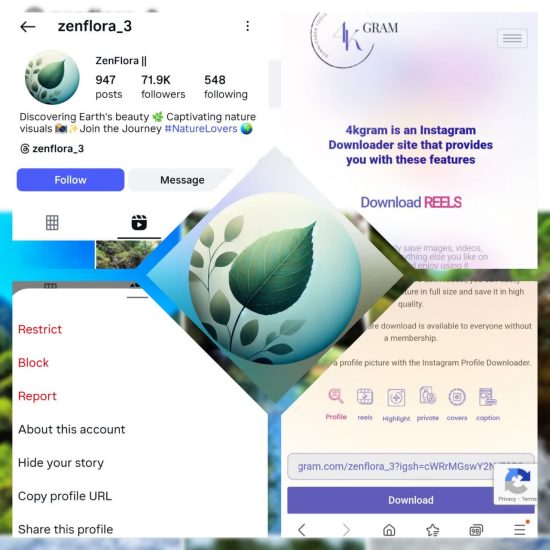
If you’d like to easily, quickly, and completely free download other people’s Instagram profile pictures, the 4kgram Instagram profile Downloader can help you do that.


Now it’s your turn; what’s your go-to method for saving Instagram photos, and why? Have you ever thought about the legal side of downloading content? Which of the six methods are you most excited to try first? Want us to create a visual guide or tutorial just for you? Drop your thoughts in the comments, we’d love to hear how you save what matters most!

How to save Instagram photos

 How do I automatically save my own posted photos to my device?

Go to your profile → Settings → Archiving and Downloading (or Account settings), and enable Save Original Photos (for posts) or Save Story (for stories). This ensures your posts are saved to your device’s gallery automatically.


Can I save someone else’s photo directly to my phone?

Instagram doesn’t allow direct downloads of other people’s photos via the app. You can bookmark them in-app, take a screenshot, or use third-party tools, though you should always consider privacy and copyright.


How can I download Instagram images from my computer?

Open the photo in Instagram’s web version, right-click and select View Page Source, search for the .jpg link, copy it into a new tab, then right-click and Save Image As….


Can users see if I’ve saved their picture from a DM?

If someone sends you a photo via DM with “View Once” or “Allow Replay” enabled, taking a screenshot will notify them. But if the photo is sent as “Keep in Chat” and you tap and hold to Save, the sender isn’t notified.


What legal and ethical considerations should I keep in mind when saving someone else’s image?

Saving an image for personal use may be fine, but redistributing it, especially for commercial purposes, without permission, can violate copyright or privacy. Always respect the creator’s rights and give proper attribution if you use the image.
5 1 vote
Article Rating
Subscribe
Notify of
guest
0 Comments
Oldest
Newest Most Voted
Inline Feedbacks
View all comments
0
Would love your thoughts, please comment.x
()
x