How to Make an Instagram Profile Picture High-Quality? (Like a Pro in 2025!)
Today, we are discussing “How to Make Your Instagram Profile Picture High-Quality?”
Consider that your Instagram profile picture is your first impression, so why let it look blurry? Instagram compresses images, often leaving your favourite photo pixelated or distorted. Don’t worry at all you’re not alone!
In this guide, we’ll show you how to keep your profile picture high-quality, with simple tips on sizing, formatting, and uploading for the best results. Be sure these tricks will ensure your photo stands out.
Step-by-Step Guide to a High-Quality Instagram Profile Picture
Creating a great-quality profile photo for Instagram does not have to be difficult. By adhering to these procedures, you will ensure that you have an HD Instagram profile picture that is professional and ready to create an impression.
1. Choose the Right Resolution and Aspect Ratio
A high-resolution photo is the basis of an excellent Instagram profile image.
To start, set the image’s dimensions to 1080 × 1080 pixels.
This will ensure your picture won’t lose quality when Instagram compresses it.
Also, ensure the final profile view captures all the details you wish to display by sticking to a square aspect ratio (1:1).
This will help prevent unnecessary cropping.
2.Use Natural Lighting
Achieving a professional appearance often hinges on the lighting.
Nothing beats natural light for profile images since it eliminates digital noise and makes everything seem crisp and clear.
To prevent unflattering shadows and present oneself in the best light possible, try standing next to a window or other source of diffused natural light.
3.Edit for Sharpness and Contrast
Editing is essential, but simplicity is crucial.
To fine-tune the contrast and clarity of your photos, try using software like Snapseed or Adobe Lightroom.
Remember that when Instagram compresses your photos, the quality could suffer if you apply too many filters or do too much editing. Editing should be natural and tidy to preserve details while clarity is improved.
4.Avoid Zooming In
Zooming in during picture editing lowers Instagram image quality and makes the final product seem muddy.
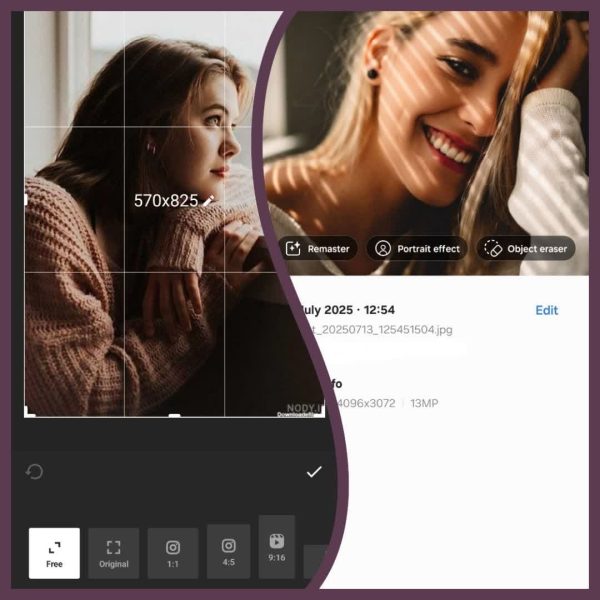
Cut out unnecessary background or people by cropping the shot.
You can maintain a higher quality and get a profile photo that is clearer and more defined in this manner.
5.Save in the Right Format
Keep the quality of your profile photo by saving it as a JPEG or PNG. Using one of these best formats for Instagram can assist in keeping your photos’ clarity and detail intact when using Instagram’s compression.
While JPEG is acceptable for most uses, PNG is better for images with complex elements since it can retain even more fine information.
6.Upload on High-Speed Internet
Finally, ensure you’re uploading on a fast internet connection. Slow internet can sometimes interfere with uploads, reducing the quality or causing the upload to fail.
Use a stable Wi-Fi connection to ensure your high-quality profile picture appears precisely as you intended when it goes live on Instagram.
These steps will make your Instagram profile picture stand out with high-quality, attention-grabbing detail. Whether for personal branding or social presence, a clear and professional image can make all the difference!
(3) Best Tools to Create a High-Quality Instagram Profile Picture
Making a professional-looking Instagram profile imageis a breeze with the correct resources.
To help you in this case, we have compiled a list of some of the top tools andplatforms. You canimprove Instagram DP with any of these tools.
VSCO
For professional edits like colour balance, sharpness, and contrast, VSCO ensures a polished, high-quality profile picture.
Picsart
Add creative effects and filters to your profile picture while maintaining sharpness, even with Instagram's compression.
Canva
A user-friendly app offering templates and tools to crop, edit, and apply effects to your Instagram profile photo without losing quality.
Why a High-Quality Instagram Profile Picture Matters?
At first look, your Instagram profile image can make or break your profile. It’s like a visual handshake, and the initial impression is crucial.
Millions of Instagram accounts are out there, so getting that little picture next to your handle is the first step in distinguishing out.
For the following reasons, it is crucial to have a high-quality Instagram profile picture:
Instant Credibility: A crisp, professional profile picture builds trust and shows attention to detail, whether for individuals, brands, or influencers.
Enhanced Recognition:A unique, memorable profile photo helps users recall your account, boosting recognition, especially for artists and businesses.
Improved Engagement:High-quality profile pictures lead to better engagement, as sharp images attract more users to explore your content.
Better Visibility in Small Spaces:Clear, high-quality profile images stay impactful even when displayed in small spaces like search results or messages.
Shows Personality and Professionalism: A high-quality profile picture reflects your personality or brand, setting expectations for what followers can expect from your account.
Conclusion
Creating a standout Instagram profile picture is easier than you think. Following the tips above, you can upload a sharp, high-quality image that grabs attention and leaves a lasting impression. A clear profile picture can make a big difference in attracting followers.
Ready to elevate your Instagram profile? Start today by updating your photo and watch the results speak for themselves.
Also, if you see a profile picture on Instagram that you’d like to use as inspiration, you can use anInstagram profile Downloaderto save it.
Share your thoughts in the comments below about “How to Make Your Instagram Profile Picture High-Quality?” and help us to offer beneficial tips.
Why is my Instagram profile picture blurry?
Learn how to fix blurry profile pictures caused by Instagram’s compression.
What’s the best size for a high-quality Instagram profile picture?
Discover the ideal dimensions for a sharp, professional profile photo.
How can I make my Instagram profile picture look more professional?
Get lighting, background, and editing tips for a standout profile pic.
Can I upload a high-resolution Instagram profile picture withoutlosing quality?
Find out how to upload a high-resolution image with minimal compression.
What tools can I use to enhance my Instagramprofilepicture?
Explore the best photo-editing apps for improving your Instagram photo quality.